

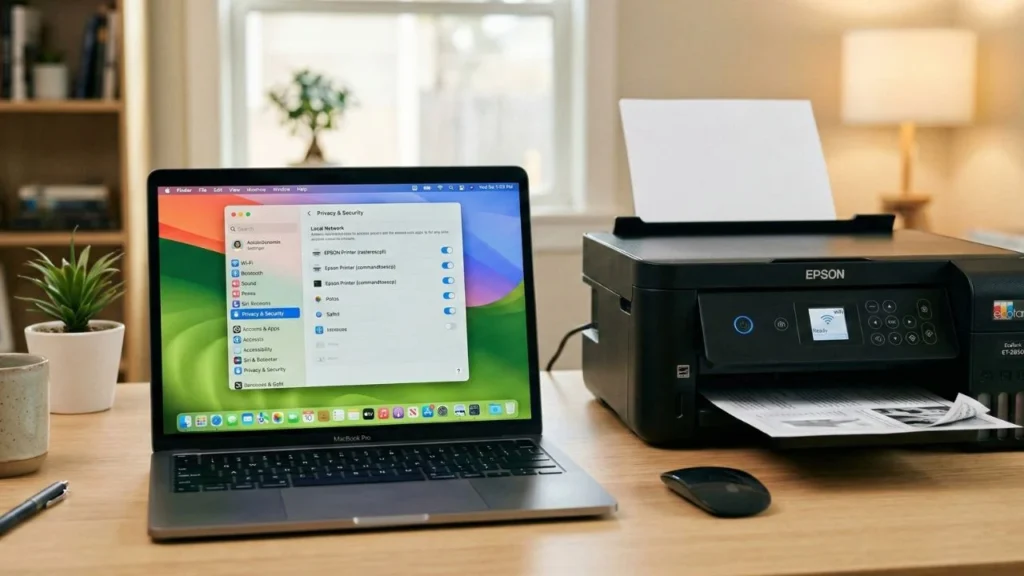

Have you ever been in a rush to print an important document, only to have your Epson wireless printer suddenly stop working? It was working fine yesterday, but ever since updating Mac OS to the latest version, the printer errors out and doesn’t respond at all. Frustrating, right?
Don’t worry, you’re not alone and your printer isn’t broken.
This issue is actually very simple. In the latest Mac OS version, Apple made some minor changes and tightened the Privacy & Security system. The operating system now requires extra permission to allow third-party apps or drivers to communicate with other devices on your WiFi network (Local Network).
Since the permission hasn’t been granted, your Mac automatically “blocks” the Epson driver from talking to the printer. That’s why the printing process keeps failing.
To fix it, we just need to grant access so the Epson driver can work again on the Local Network. It’s super easy, follow the steps below:
1. Go to Privacy & Security Menu
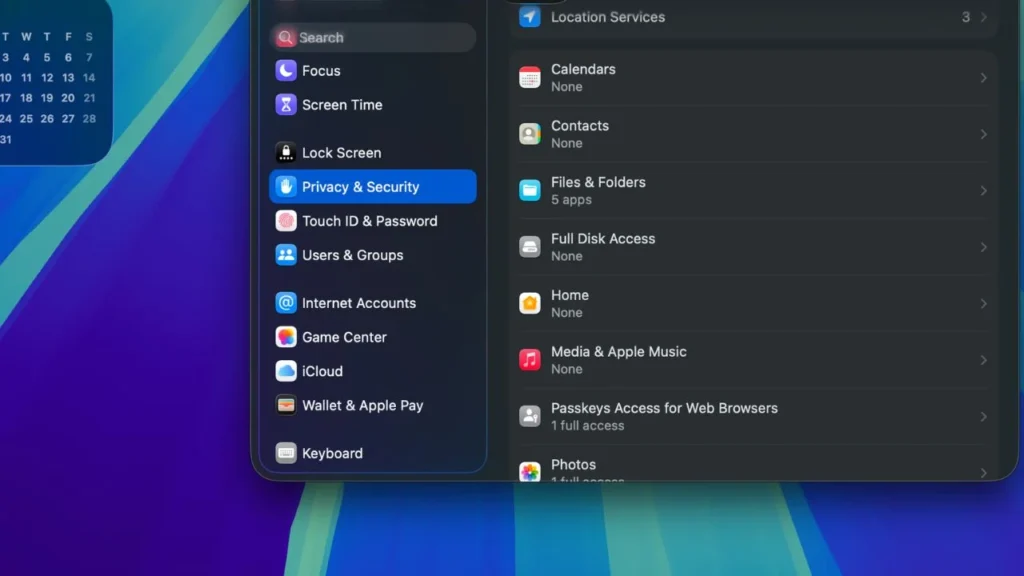
First step, open the Apple icon in the top left corner of your Mac screen, then select System Settings. Once the settings window opens, scroll down in the left menu and find Privacy & Security.
2. Open Local Network Settings
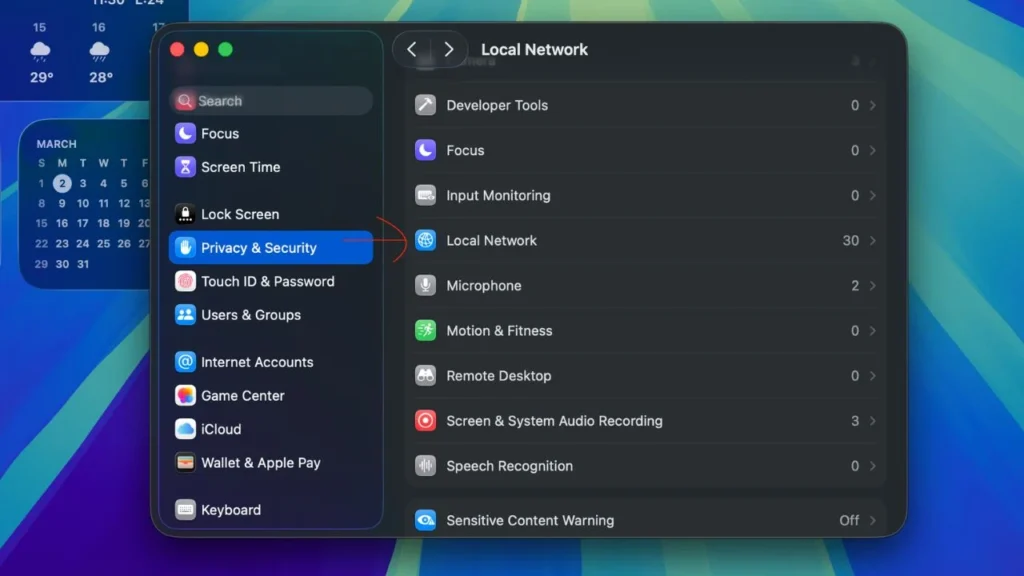
Inside the Privacy & Security page, scroll down slowly again until you find the option named Local Network. Click on that option. This menu is where Mac controls which apps can access other devices on the same WiFi network.
3. Enable Permission for Epson Printer
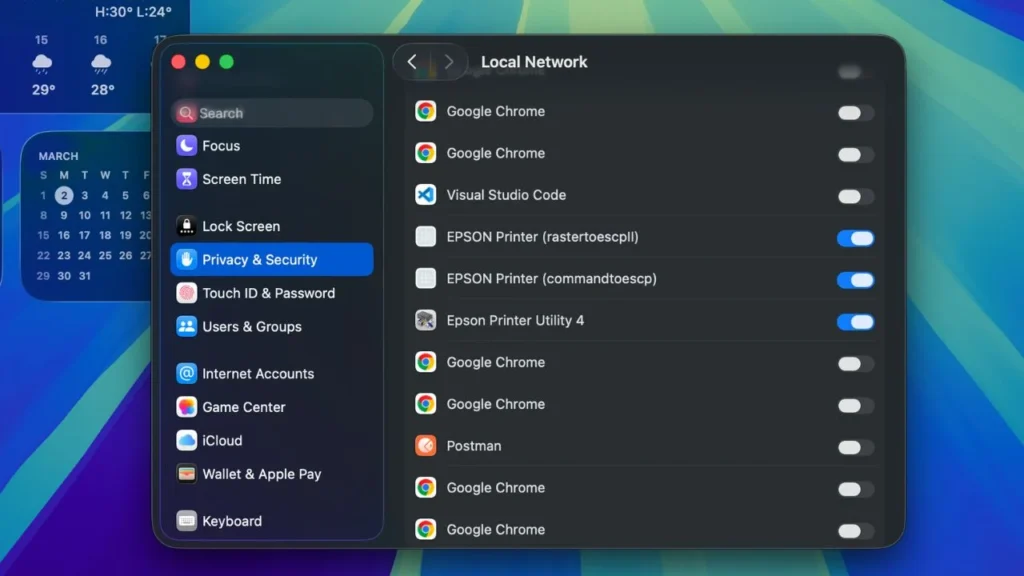
After entering the Local Network settings, you’ll see a list of apps and drivers that have requested network access.
Look for items related to your Epson printer. Usually, they are listed as EPSON Printer (rasteroscpll) and Epson Printer (commandtoescp). If the toggle (slider button) next to them is still off or grayed out, just click it until it turns on (blue).
This step will allow your Mac to send print commands to your Epson printer via WiFi.
Time to Test!
If all the steps above are done, you can close the Settings window. Try opening any document and print again. Your Epson printer should now be back to normal and working properly.
Hope it works! If there are still issues, try restarting your Mac and printer, then make sure both are connected to the same WiFi network.